Context
Product, application, infrastructure, research, document, and release work can become fragmented across many tools and disconnected handoffs.
FEATURED CASE STUDY / STAGING PROTOTYPE
VORQ
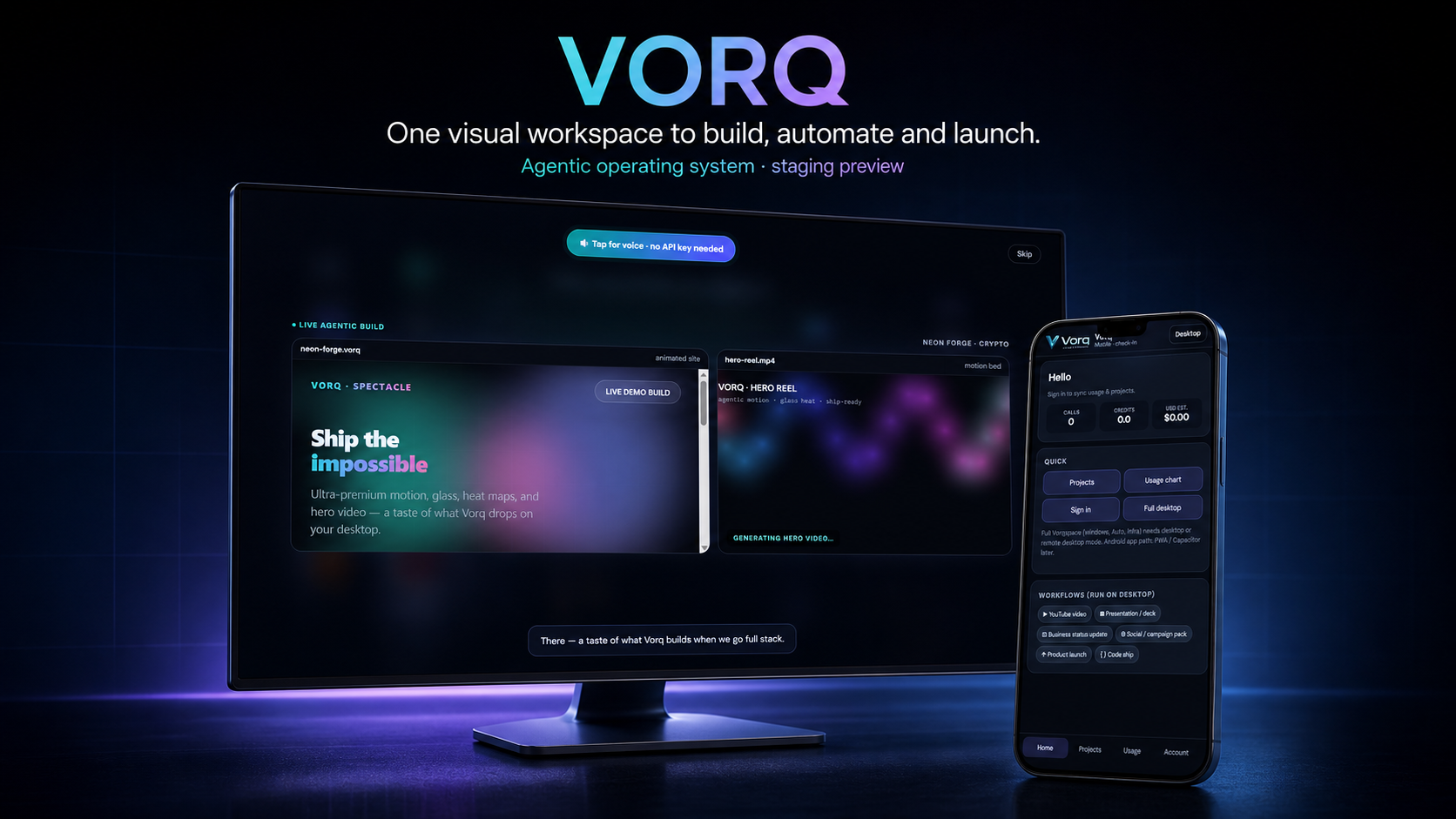
VORQ explores what happens when the operating surface becomes the product: a deep desktop workspace for building and a focused mobile companion for checking in.
01 / PROJECT BRIEF
Product, application, infrastructure, research, document, and release work can become fragmented across many tools and disconnected handoffs.
VORQ explores one visual operating surface for shaping the work, seeing its state, and moving between creation, automation, and release preparation.
A July 2026 staging prototype is represented through supplied desktop and mobile captures. The captures verify the interface direction, not live integrations, billing, synchronization, or autonomous execution.
Validate the first real end-to-end workflow, authentication boundary, usage record, and mobile handoff before publishing availability or performance claims.
02 / RESPONSIVE PRODUCT SYSTEM
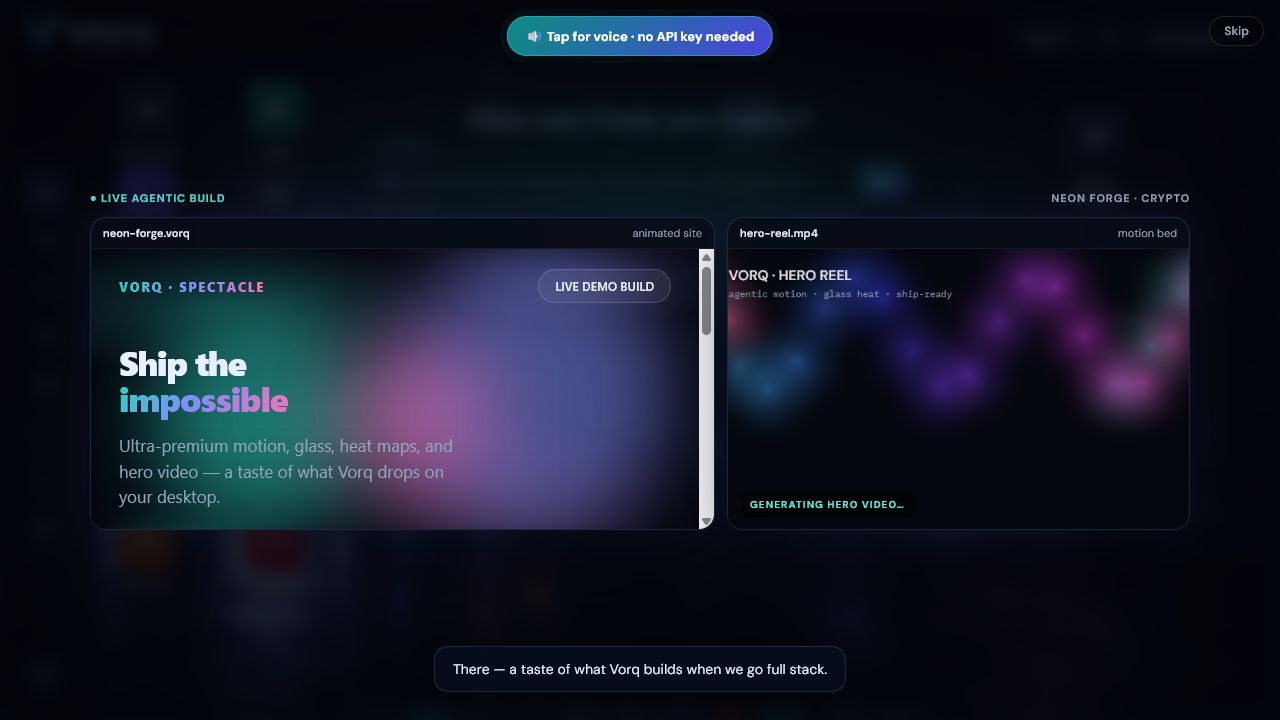
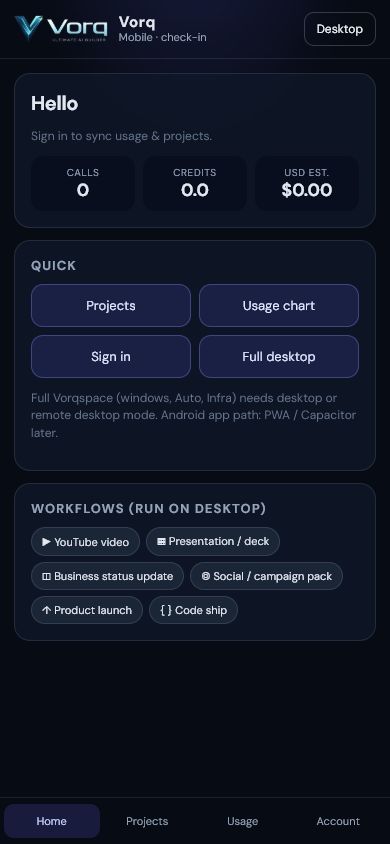
The same product idea should not be squeezed into every screen. VORQ gives the desktop room to work and the mobile surface a shorter, status-first role.
01 / DESKTOP OPERATING SURFACE
02 / MOBILE CHECK-IN
03 / EVIDENCE REVIEW
A good case study says exactly what the supplied artifacts support—and where product evidence still has to be earned.
REVIEW QUESTION
SUPPORTED CONCLUSION
CASE-STUDY FINDING
Approved for portfolio displayThe evidence supports interface direction, responsive composition, and the proposed workspace model. It does not yet prove live synchronization, credit metering, billing, or production workflow execution.
04 / WHAT THE PROTOTYPE MAKES VISIBLE
These are interface directions visible in the supplied staging captures. They are presented as product intent, not as claims of connected production capability.
The staging interface presents voice as a fast way into the workspace while leaving implementation claims open.
Site and motion directions share one reviewable field instead of disappearing into separate tabs and handoffs.
Video, deck, business update, campaign, launch, and code-shipping directions are visible as prototype workflow paths.
The small-screen experience prioritizes status, navigation, and returning to the full operating surface.
05 / PRODUCT PRINCIPLES
Make the work, its surface, and its current phase visible.
Give desktop the depth and mobile the shortest useful check-in path.
Treat a compelling interface as product evidence—not operating proof.
Separate preparing the work from approving what actually moves forward.
06 / PROTOTYPE BOUNDARY
The supplied captures demonstrate product and interface direction; they do not prove connected workflow execution.
Calls, credits, usage synchronization, model access, and billing are not represented here as live capabilities.
Mobile packaging, background operation, and any Android or PWA release remain future validation work.
FOCUS AREAS
All projects